Sprintly

Focused sprints for Android

Set a timeframe.
Pick the tasks.
Go all in.

Everything else stays out of sight.

Google PlayComing soon See the flow
  • Free
  • No ads
  • Account optional
  • English · 한국어

Why we built it

See everything, finish nothing.

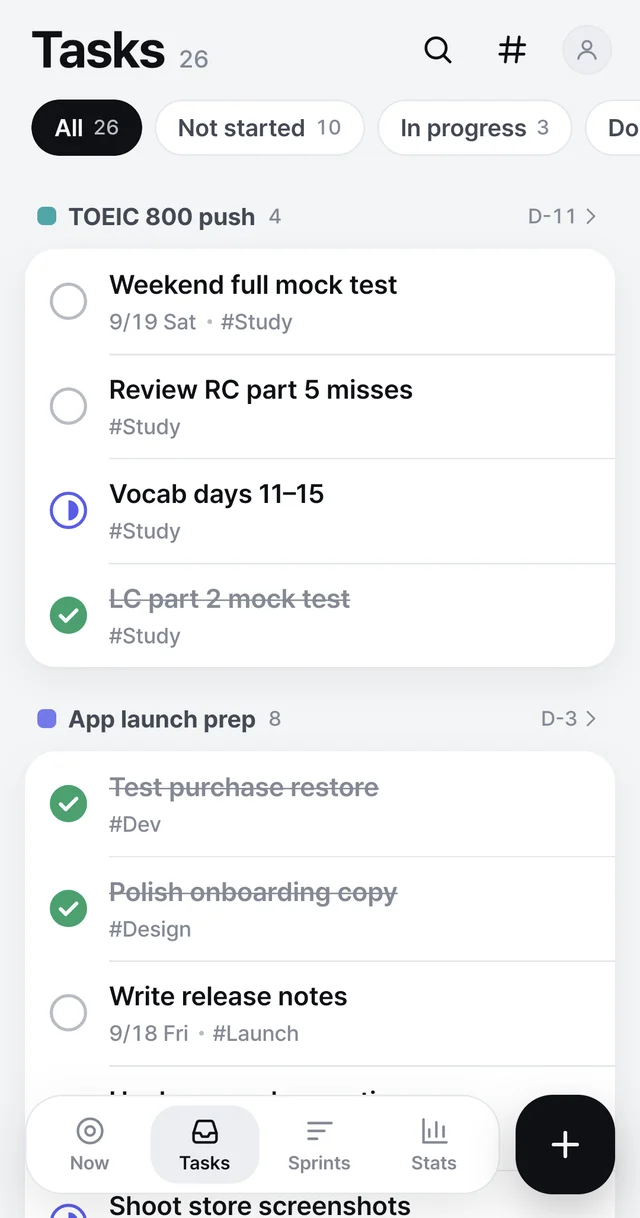
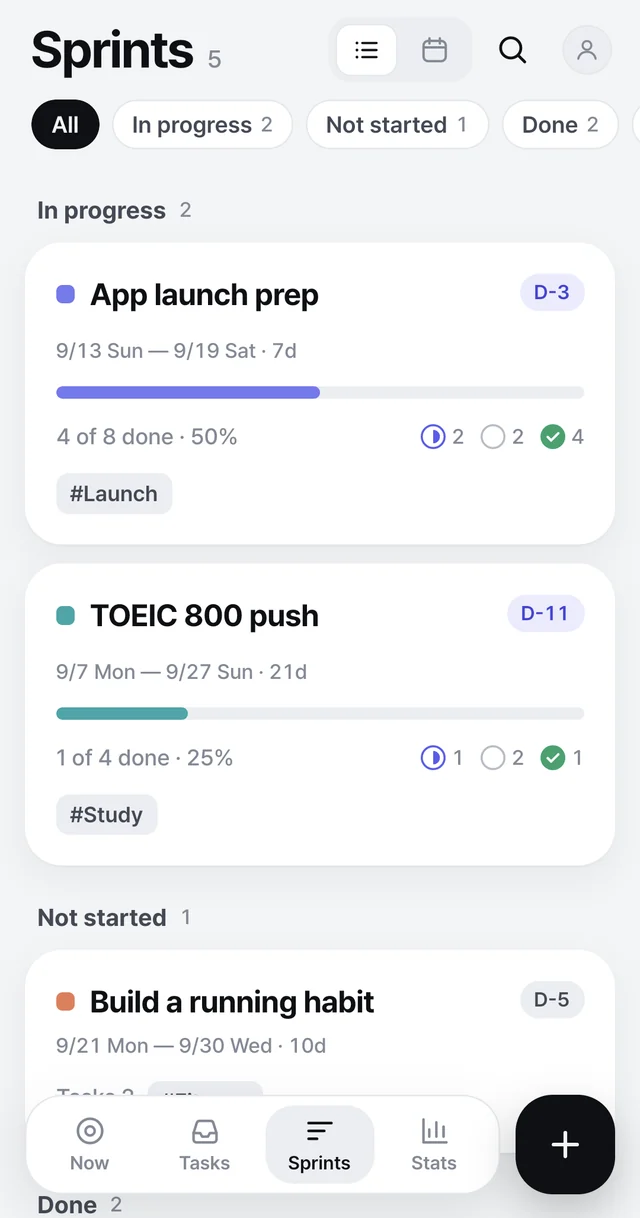
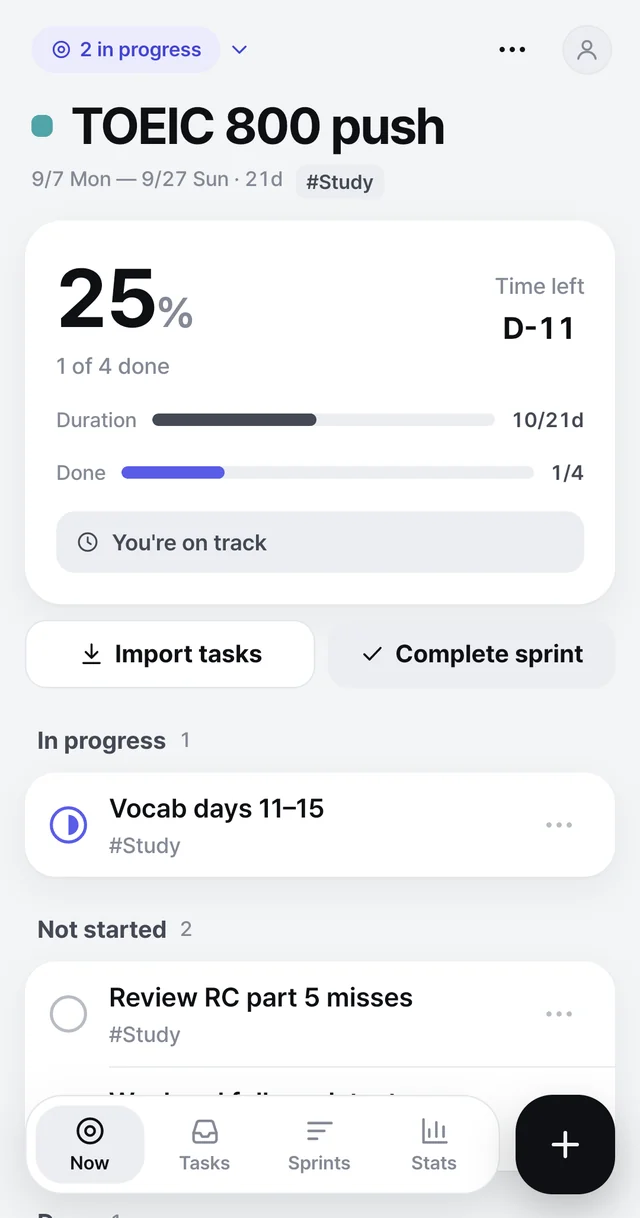
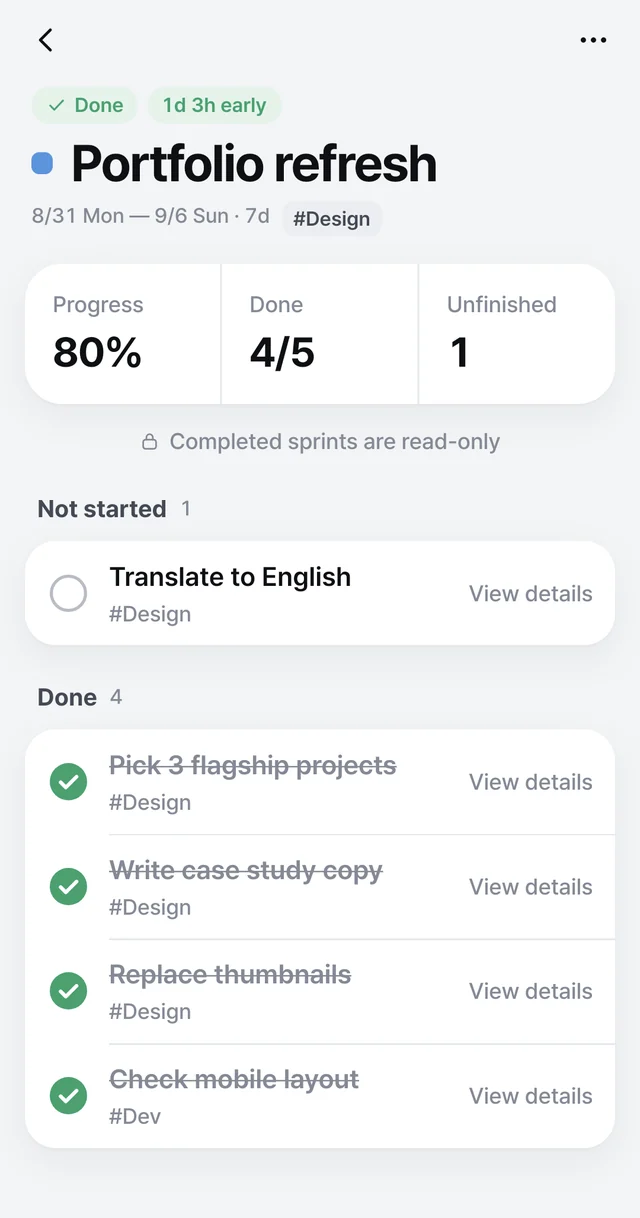
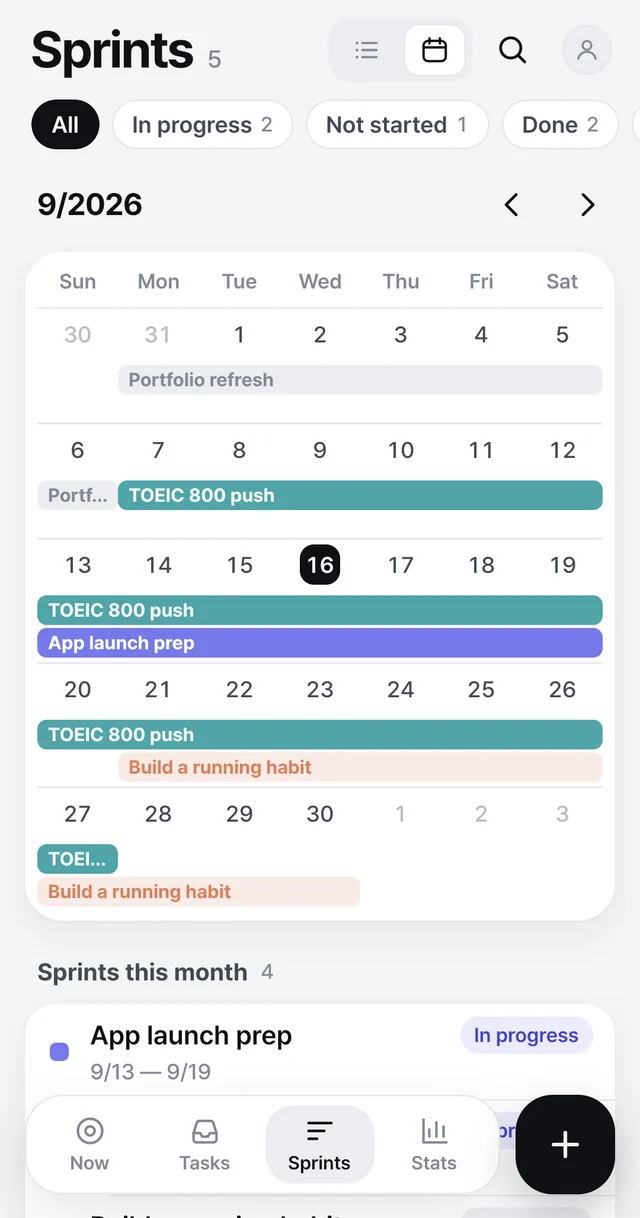
Tasks screen with tasks grouped by sprint and filtered by status. Sprints screen showing in-progress, not started and done sprints with progress. Now screen showing 25% progress, D-11 time left and the tasks in flight. Recap of a finished sprint: 80% progress, 4 of 5 done, 1 unfinished.

The flow

Plan. Focus.
Finish.

  1. 1 · CaptureDump tasks in the backlog

    With due dates, notes and tags.

  2. 2 · PlanSet a timeframe, pick the tasks

    One to 30 days. Forget the rest.

  3. 3 · FocusSee only the current sprint

    Progress and time left show your pace.

  4. 4 · ReviewClose it, check the result

    Unfinished tasks go back to the backlog.

Screens

From plan to result

Now Tasks Sprints Calendar Recap

Features

Only what focus needs

Your pace, in numbers

Behind? It tells you how many to finish today.
Duration 3/7d43%
Done 4/850%

Three states

Not started, in progress, done.

Shoot store screenshots
Write release notes
Polish onboarding copy

Sprint calendar

Keep any stretch from overloading.

Tags and filters

Pick the right tasks fast.

#Launch#Dev#Design#Study#Fitness

Optional sync

On-device by default. Sign in to sync.

This device+ Google sync

Privacy

No sign-up needed

0accountsInstall and start
0adsNo ads to break focus
0costSprints and tasks are free

Privacy policy

What’s stored, where, and for how long.

Read the policy

Account & data deletion

Delete your account and cloud data.

Deletion guide

Contact

Bugs and feature ideas.

limchoi@alignplace.kr

Help

Frequently asked

Anything else, write to limchoi@alignplace.kr.

What is a sprint here?

A timeframe and its tasks. One to 30 days.

Do I need an account?

No. Data stays on-device; sign in with Google to sync.

Is it free?

Yes. Core features are free, with no ads.

Can my team use it?

No. It’s built for focusing on your own plan.

Do completed tasks stay forever?

They’re cleared 30 days after completion.

Does a sprint end by itself?

No. You close it yourself and get the recap.

Is there an iPhone version?

Android only for now.

Plan your next sprint.

Pick a timeframe and the tasks. That’s it.

Google PlayComing soon